Low Latency Trading: How Milliseconds Can Impact Your Trades
- What Is Low Latency Trading, and Why It Matters?
- Low Latency vs High Frequency Trading: Related but Not the Same
- How Low Latency Affects Real Trading Performance
- Key Components of Low Latency Infrastructure
- Factors That Determine Your Trading Latency
- Practical Ways Traders Can Achieve Ultra-Low Latency
- Why a Trading VPS and Co-Location Are Essential for Low Latency
- How SwitchMarkets' Free VPS Reduces Latency
- Realistic Expectations: What Low Latency Can and Cannot Do
- Getting Started: A Simple Low Latency Checklist for Traders
- Frequently Asked Questions About Low Latency Trading
In today's financial markets, the gap between a profitable fill and a losing one often comes down to milliseconds. Low-latency trading is no longer optional for traders running automated strategies on MT4/MT5; it is the layer that decides whether your edge survives contact with live price action. This guide breaks down what latency trading actually involves, how it shapes trading performance, and how you can reduce latency without building your own data center.
Key Takeaways
What Is Low Latency Trading, and Why It Matters?
Latency is the total elapsed time between a market event (a new bid/ask tick arriving) and your order being received and executed by your broker. Low-latency trading refers to algorithmic trading executed within microseconds or nanoseconds at the institutional level, and within milliseconds for most retail and professional setups. The goal is the same across both: minimize the gap between seeing a price and acting on it.
Low-latency trading executes trades within milliseconds. In modern electronic financial markets, bid/ask spreads on major pairs like EUR/USD can change multiple times per millisecond during volatile sessions. Technically, low-latency trading minimizes execution delays to milliseconds, which means a round-trip time of 10-50 ms can easily convert a profitable signal into slippage or a requote.
Consider a concrete example: a EUR/USD scalping EA on MetaTrader 4 or 5 targeting 1-2 pips per trade. If round-trip latency to the broker sits at 150-250 ms (common on home Wi-Fi connections to a distant broker), much of that profit disappears in slippage before the order fills. Drop that latency to 5-20 ms via a co-located VPS, and the EA fills near its intended price consistently. In other words, low-latency trading increases pricing efficiency by rapidly incorporating new information into prices, which benefits the broader market while giving the faster trader a competitive edge.
The distinction between "low latency" (milliseconds) and "ultra low latency" (microseconds or tens of microseconds) matters. Ultra-low latency is measured in microseconds or low milliseconds and is the realm of high-frequency trading firms with direct exchange connections. For most independent traders and small prop shops, keeping ping under 10-30 ms to the broker's trade server, using VPS co-location and optimized connectivity, qualifies as effective low-latency technology.
Low Latency vs High Frequency Trading: Related but Not the Same
Low latency refers to the speed of data transmission and order execution. High frequency trading (HFT) is a category of strategies that submit and cancel large volumes of orders, often thousands per second, to capture microstructure profits. The two overlap but are not synonymous.
High frequency trading firms in New York, London, Tokyo, Singapore, and Frankfurt use ultra-low-latency infrastructure including kernel-bypass networking (which reduces delays by allowing direct communication with network hardware), field-programmable gate arrays (FPGAs) for fast processing, and even microwave or radio frequency links. Using microwave links can increase data transmission speed over long distances compared to fiber optic cable because radio frequency signals travel closer to the speed of light in a straight line through air. Ultra-low latency infrastructure is critical for high-frequency trading, and high-frequency traders improve market liquidity by continuously posting buy and sell quotes as market makers.
Most algorithmic trading strategies (trend-following EAs, grid systems, swing bots) benefit from low latency but do not generate thousands of orders per second. An HFT market-making desk on a US equities exchange reacts to order book changes within 50 microseconds. A retail forex scalper trading EUR/USD via MT4 is satisfied with 5-10 ms server-side execution. Low-latency trading can create an uneven playing field favoring firms with faster technology, which is why regulatory measures like speed bumps have been introduced to mitigate latency-based advantages.
For most market participants using SwitchMarkets, the goal is not to compete with Wall Street HFT; it is to eliminate unnecessary delays so orders reach the broker with minimal delay.
In trading, milliseconds matter. The price you see isn't always the price you get—that's why reducing latency is crucial.
How Low Latency Affects Real Trading Performance
Low latency directly shapes execution speed, slippage, fill quality, and the viability of automated and latency-sensitive trading systems. Here is how each component breaks down:
Reduced Slippage in Fast-Moving Markets
When your buy order for GBP/USD or XAU/USD travels in a few milliseconds instead of a few hundred, it fills near the quoted price rather than at a worse level during market events like US Non-Farm Payrolls. Faster order submission improves the chances of filling orders at anticipated prices. A 1-millisecond advantage can be worth $100 million annually for large trading firms; for retail algorithmic traders, the principle scales down but remains the same: minimizing price slippage on each trade compounds across hundreds of fills.
Tighter Stop-Loss Execution
For scalping and news trading strategies using 3-5 pip stops, a difference of 20-50 ms can decide whether the stop triggers before price moves in your favor. Low latency contributes to tighter spreads and higher displayed liquidity, which further supports tight-stop approaches.
Arbitrage Detection
Fast systems can exploit arbitrage opportunities by capturing price discrepancies across exchanges or between an ECN data feed and a slower retail broker. Low latency enables rapid detection of price discrepancies, and those gaps can vanish within milliseconds. Ultra-low latency enables faster execution and improved arbitrage opportunities, making it essential for cross-broker strategies.
Consistency and Fewer Errors
With low latency, Expert Advisors (EAs) experience fewer requotes, fewer "off quotes" messages, and more predictable behavior during volatile markets like the London-New York overlap. Even microsecond differences can translate to significant financial gains over time. Traders with ultra-low latency can capitalize on fleeting market signals that disappear before slower connections register them.
Key Components of Low Latency Infrastructure
Low latency infrastructure is the combined physical and logical stack that delivers market data and order flow between your trading platform and the capital markets with minimal delay. Not all infrastructure is created equal; each layer contributes measurable milliseconds.
Physical distance and data center location: Colocation near exchanges can reduce latency to single-digit microseconds. Facilities like Equinix LD4/LD5 (London), NY4/NY5 (New York), TY3 (Tokyo), and SG1 (Singapore) house major forex liquidity providers. Hosting a VPS in these data centers, connected via cross-connects, reduces network distance to meters of cable. Dedicated fiber links provide stable, low-latency transmission between adjacent facilities.
Network connectivity: The number of network hops between your trading system architecture and the broker's matching engine matters. Consumer ISPs route data packets through congested routers, adding jitter and added latency. Data center networks use direct peering and fiber optic cable paths optimized for low-latency transmission.
Server hardware: Optimized hardware and software use specialized components to reduce processing delays. High-clock CPUs, dedicated cores, ample RAM, and NVMe storage prevent processing overhead during market data processing spikes. Optimized hardware can reduce trading latency by eliminating disk and memory bottlenecks.
Platform configuration: MT4 adds roughly 50 ms of internal processing per OrderSend; MT5 reduces this to about 1-2 ms. Reducing the number of charts, EAs, and custom indicators lowers processing overhead further. Direct Market Access (DMA) routes orders directly to exchange matching engines, bypassing unnecessary bridge layers.
.png)
Factors That Determine Your Trading Latency
Total trading latency is the sum of network travel time, queuing delays, software processing, broker execution speed, and liquidity provider matching. Each component adds real milliseconds.
Physical distance is the largest single factor. Signals in fiber travel at roughly 200,000 km/s (about two-thirds the speed of light). Every 1,000 km adds 5-7 ms one-way. A trader in Sydney connecting to a London-based broker over consumer broadband faces 150-300 ms round-trip time. A VPS in the same metro area as the broker cuts the network leg to 5-20 ms. Proximity hosting minimizes data travel time to exchanges.
Network quality introduces the second variable. Wi-Fi adds unpredictable jitter. Consumer ISPs route through multiple network hops, and network congestion can introduce unpredictable delays in trading. Dedicated data center connectivity uses direct paths with minimal hop counts.
Hardware and OS load matters more than many traders realize. Older CPUs, insufficient RAM, and machines running antivirus scans or Windows updates during trading sessions introduce delays that spike during volatile markets. These delays stack on top of network latency.
Broker infrastructure is the component traders control least. Slow bridges, risk checks, "last look" windows (averaging about 10 ms at many retail brokers), and routing through multiple liquidity providers all add time. MetaQuotes' Ultency bridge, adopted by some brokers in 2025-2026, reduces bridge latency to under 1 ms.
Trading platform load is the final piece. Running dozens of charts, heavy custom indicators, and extensive tick logging in MetaTrader can add processing delay before data signals even trigger an order. Ultra-low latency can achieve delays in microseconds only when every layer is optimized.
5 Key Practices to Improve Your Trade Execution Speed
Practical Ways Traders Can Achieve Ultra-Low Latency
Achieving ultra-low latency does not require building your own data center. Individual traders and small firms can follow concrete steps that cut latency from triple digits to single digits.
Optimize connectivity first.
Switch from Wi-Fi to wired Ethernet. Use a fiber-based ISP if available. Avoid VPNs along the path to your broker unless they are performance-optimized, because each VPN hop adds measurable latency. Automated trading strategies can adjust or cancel orders quickly in response to market changes, but only if the connection delivers those data feeds without delay.
Use a dedicated VPS instead of a home PC.
A general-purpose computer running Spotify, Chrome, and an antivirus scanner alongside MT4/5 is not a low-latency trading setup. A dedicated trading VPS in a professional data center offers stable power, enterprise networking, and controlled resource allocation. Ultra-low-latency traders and ultra-low-latency systems in 2026 rely on this separation between personal computing and executing trades.
Choose the right server location.
Within the same data center as the broker: 1-3 ms. Same metropolitan area: 5-20 ms. Inter-continent: 150-300 ms or more. The best VPS locations for traders map to financial hubs like London, New York, Tokyo, Singapore, and Frankfurt.
Trim your platform.
Keep MetaTrader updated. Limit indicators and EAs to only what your strategy requires. Disable tick chart visualizations that constantly redraw. Archive old logs. Every unnecessary process adds processing overhead that competes with order execution.
Test brokers under stress.
Run ping and trade execution tests during FOMC or NFP releases. If latency performance degrades badly during market events, the broker's trading infrastructure may be a bottleneck regardless of your own setup. Investing in low-latency infrastructure is costly and requires continuous optimization and monitoring, but the first steps are free.
Why a Trading VPS and Co-Location Are Essential for Low Latency
For most forex and CFD traders in 2026, moving the trading platform from a home computer to a co-located VPS near the broker's servers is the single largest latency improvement available. The speed advantages are measurable and immediate, which makes a VPS an essential tool for retail traders.
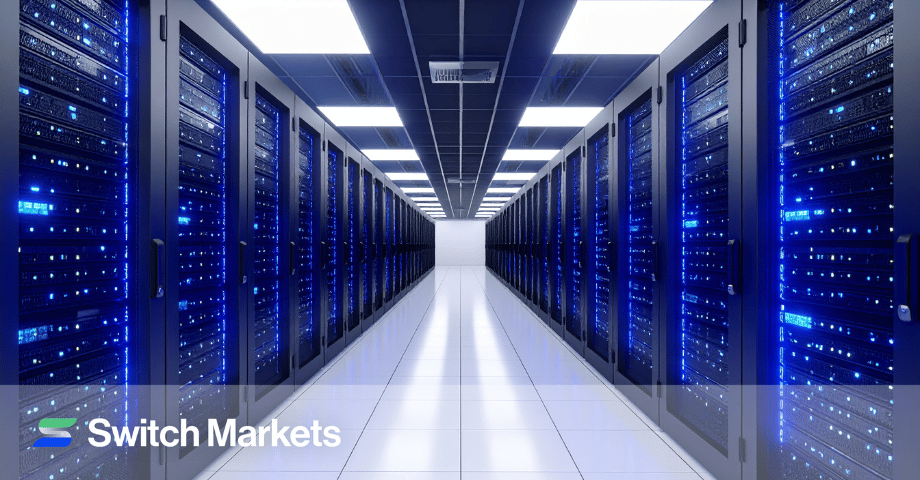
For those unaware, a trading VPS is a virtual private server running in a professional data center: always-on, equipped with fast CPUs, ample RAM, SSD or NVMe storage, and direct fiber connectivity to broker and liquidity provider networks. A trading VPS reduces order execution time from the 100-300 ms range (home internet) to under 10 ms (same-city VPS) or under 5 ms (same data center).
Colocation places your VPS in the same facility as your broker's matching engine. The network path shrinks from thousands of kilometers to meters of cable. Colocation reduces latency to single-digit microseconds in the best configurations, and to low single-digit milliseconds in typical MetaTrader setups. Dedicated IPs on VPS improve connection stability for traders by providing a consistent, non-shared network path.
Beyond raw speed, a trading VPS delivers uptime (typically 99.9%+), redundancy (backup power, multiple network paths), and protection from home power cuts, ISP outages, or PC crashes. VPS hosting can enhance trading performance for algorithmic strategies that need to run 24/7. VPS services are crucial for high-frequency trading success and for any trader whose Expert Advisors must remain active across all sessions.
Specific use cases include running scalping EAs around the clock, latency-sensitive arbitrage opportunities across feeds, copy-trading setups where follower accounts must track master trades with minimal delay, and news trading where rapid execution during the first seconds after a release is a defining factor for trading success.
How SwitchMarkets' Free VPS Reduces Latency
SwitchMarkets partners with ForexVPS to provide a free low-latency VPS for clients who open and fund a trading account with at least 50 USD. This offer directly targets the problem most retail traders face: high latency from home connections to distant broker servers.
ForexVPS is a specialist hosting provider focused on forex trading infrastructure, operating low-latency servers in 20+ global locations close to major forex brokers and liquidity providers. Server locations include New York, London, Los Angeles, Chicago, Amsterdam, Singapore, Zurich, Tokyo, Frankfurt, Johannesburg, and Hong Kong, housed in Equinix and other premium data centers.
Traders can learn more and qualify via SwitchMarkets' free VPS page. Eligibility requires maintaining an active, funded account (minimum 50 USD) subject to the broker's current terms. The free VPS includes 2 CPU cores, 4 GB RAM, 100 GB SSD, and Windows with MT4/MT5 pre-installed.
In practice, hosting MetaTrader on VPS servers physically close to SwitchMarkets' trading infrastructure brings latency down to single-digit milliseconds compared with tens or hundreds of milliseconds from distant home connections. SwitchMarkets advertises 1 ms latency under ideal co-located conditions in Equinix data centers.
This environment is pre-optimized for MetaTrader 5 and MetaTrader 4, Expert Advisors, and other algorithmic trading tools, with 24/7 technical support, automatic backups, and resource spike protection. This operational efficiency matters during volatile sessions when platform stability is tested, which makes it an ideal platform for short-term and algo traders.
The combination gives scalpers, algorithmic traders, and other market participants pursuing latency-sensitive systems a sustainable competitive advantage over traders executing from home internet connections. Fee structures for the VPS are simple: meet the 50 USD funding requirement, and the service is free.
Realistic Expectations: What Low Latency Can and Cannot Do
Low latency is a real competitive edge, but it is not a substitute for a sound trading strategy, risk management, or market knowledge.
- Reduce average slippage by 0.5-2 pips per trade on active strategies, which can translate to roughly 17% more net profit per trade when targeting 3-pip gains
- Improve fill rates and reduce requotes during fast-moving markets
- Make backtested results more closely match live performance when backtests assume low network delays
- Provide real-time monitoring and real-time visibility into order flow and fills
- Turn a losing strategy into a profitable one
- Guarantee fills at the best possible tick during thin liquidity or weekend gaps
- Bypass broker risk controls, margin requirements, or regulatory rules
- Eliminate market risk from macro events, central bank decisions, or institutional order flow in liquid markets
Crucially, there are also diminishing returns. Moving from 100 ms to 20 ms yields large improvements for most strategies. From 20 ms to 5 ms delivers further benefit. From 5 ms to sub-1 ms costs more and yields marginal gains in MetaTrader-based setups, because platform and broker overhead sets an effective floor. Treat latency optimization as one pillar alongside position sizing, stop-loss discipline, and continuous strategy evaluation.
Getting Started: A Simple Low Latency Checklist for Traders
This checklist moves from quick wins to deeper optimizations. Work through it in order.
- Measure your current latency. Use MetaTrader's built-in ping indicator (bottom-right status bar) and record average and peak values during normal market hours. Also test round-trip execution time by placing small test trades and timing the fill.
- Switch from Wi-Fi to wired Ethernet. Ensure your router and modem are modern, rebooted regularly, and not overloaded by streaming or gaming traffic during key sessions. This alone can cut jitter by 10-30 ms.
- Evaluate your broker's server locations and latency performance. If ping consistently exceeds 100 ms, consider switching to a broker like SwitchMarkets that supports VPS co-location and has trading infrastructure close to your target markets.
- Set up a ForexVPS instance via the SwitchMarkets free VPS program once you meet the 50 USD funding requirement. Pick the server location closest to your broker's servers. Install and migrate your MetaTrader platform, custom indicators, and Expert Advisors.
- Optimize the VPS environment. Close unneeded applications. Limit chart count. Run a small number of well-tested EAs. Disable heavy visualizations. This reduces processing overhead and keeps the platform lean.
- Monitor and compare. Track slippage, requotes, and uptime over several weeks of live trading. Compare these metrics against your old home-based setup to quantify the latency improvement.
Remember, the gap between 200 ms and 5 ms is not academic. It shows up in your trade log as slippage, requotes, and missed entries. Latency optimization is one piece of a complete trading plan, but for strategies that depend on precise fills, it is the piece most traders underinvest in.
Frequently Asked Questions About Low Latency Trading
These questions address practical concerns not fully covered in the sections above.
What latency is "good enough" for forex and CFD trading?
For most short-term algorithmic traders and scalping strategies, average ping times under 30 ms to the broker server are considered good. Under 10 ms is excellent. 1-5 ms, typical of co-located VPS setups, is ideal for latency-sensitive EAs. Low-latency trading typically executes trades within milliseconds at this level, which covers the vast majority of retail market opportunities.
Longer-term swing or position traders can tolerate 50-150 ms because they hold trades for hours or days, and single-tick differences have less impact on their profit targets. The latency threshold that matters depends on your trade execution times and profit target per trade.
Do I need ultra-low latency if I am not doing high-frequency trading?
Ultra-low-latency trading (microseconds) is typically reserved for institutional high-frequency trading firms co-located with major exchanges, using FPGAs, microwave links, and kernel-bypass networking. These are ultra low latency systems designed for thousands of orders per second.
Most retail and professional forex traders benefit from "low" rather than "ultra low" latency. A well-located VPS delivering consistent millisecond-level execution already reduces slippage and improves EA performance. You do not need to match the speed advantages of institutional trading firms to gain a meaningful competitive edge in forex and CFD trading.
How can I tell if slippage is caused by latency or by my broker?
Compare execution results on a low-latency VPS (for example, ForexVPS near SwitchMarkets servers) against results from a distant home connection, using the same trading strategy and the same time window. Run at least 50-100 trades on each setup.
If slippage is measurably worse on the high-latency setup but improves on the VPS, latency is the primary factor. If slippage remains similar on both, it may stem from market volatility, thin liquidity, or broker execution policies rather than network delay. This test isolates the network variable from broker-side behavior.
Is a trading VPS secure for running my MT4/MT5 account and EAs?
Reputable VPS providers deploy data center-grade security: firewalls, access control lists, regular OS patching, and physical security at the facility level. Each client's virtual machine is isolated from others on the same hardware.
Best practices include using strong, unique passwords for both VPS login and trading accounts, enabling two-factor authentication where available, and avoiding untrusted EAs or software from unknown sources. Your broker credentials stored on the VPS are only as safe as your access hygiene.
What happens to my trading if my home internet goes down while I use a VPS?
If MetaTrader and your EAs are running on a VPS, they continue executing trades normally when your home internet fails. Orders route directly from the VPS to the broker over data center networks; your home connection is not part of that path.
You temporarily lose the ability to monitor or manually intervene from home. Once your internet returns, reconnect to the VPS via Remote Desktop and review all positions and logs. This is one of the core reasons traders use a VPS: it removes your home ISP as a single point of failure for order execution.
Risk Disclosure: The information provided in this article is not intended to give financial advice, recommend investments, guarantee profits, or shield you from losses. Our content is only for informational purposes and to help you understand the risks and complexity of these markets by providing objective analysis. Before trading, carefully consider your experience, financial goals, and risk tolerance. Trading involves significant potential for financial loss and isn't suitable for everyone.